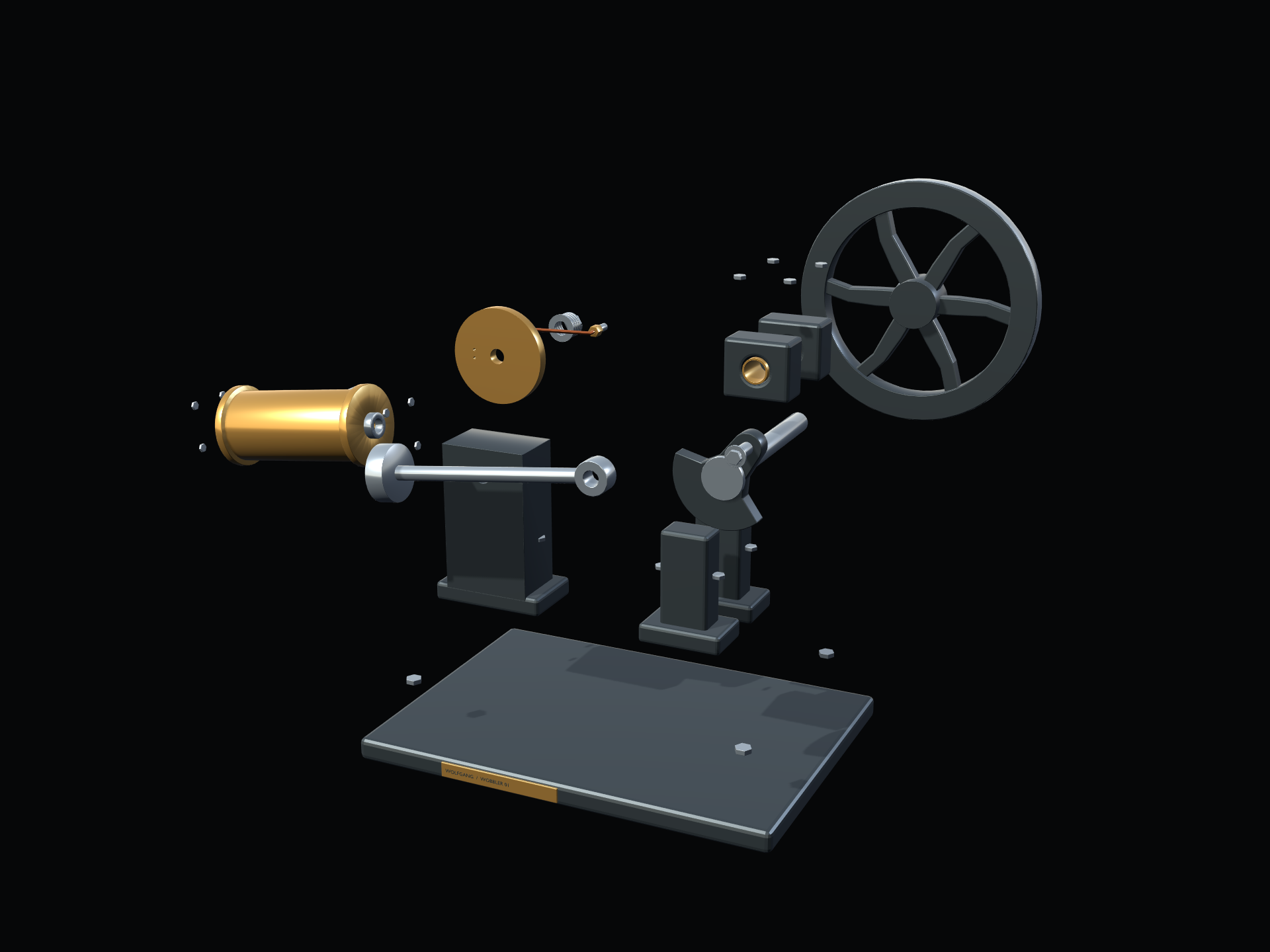
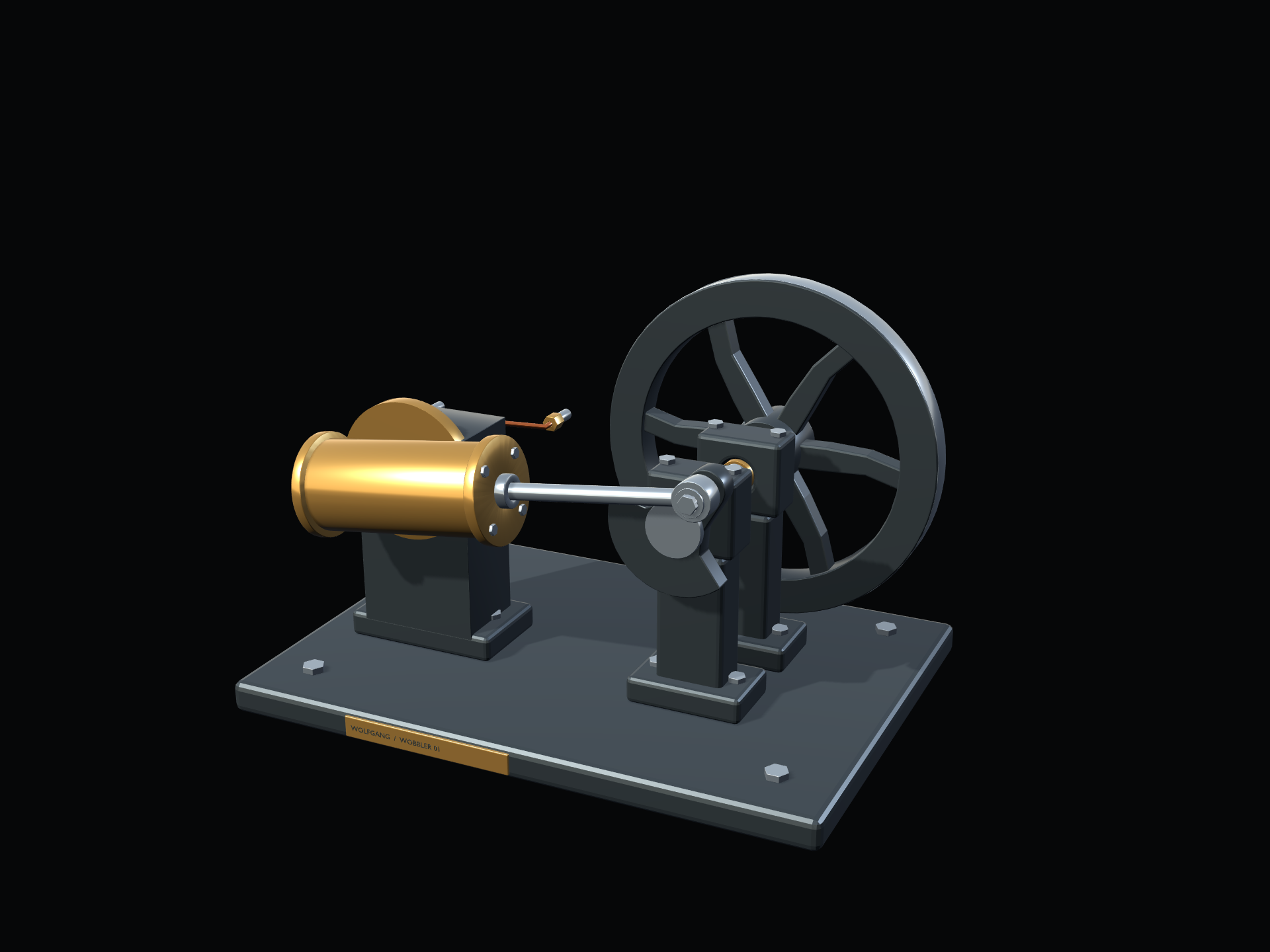
Wobbler Engine #1

$4.99

Explore a single-cylinder oscillating steam engine as an interactive 3D Windows desktop model. Watch the cylinder rock with the crank, follow the piston and flywheel, and inspect how the parts work together.

FEATURES

Animated mechanism · Transparent desktop presentation · 0–100 RPM with Stop/Resume · Rotate, pan and zoom · Exploded view

VERSION

Wobbler Engine #1 v1.0 for Windows. Price: $4.99 USD.

CONTROLS

Left-drag moves the engine window. Right-drag pans; middle-mouse drag orbits; the mouse wheel zooms. Camera controls work while unlocked.

E = Explode / Assemble · L = Lock / Unlock · R = Reset View · S = Sound On / Off · Space = Stop / Resume at the selected RPM.

Click the model to reveal the controls and throttle. The lower control tiles are clickable. Click X to save and close. Throttle range: 0–100 RPM; 0 is OFF. First launch starts at 30 RPM. Exploded view holds the mechanism; reassembly restores the selected speed. Reset View does not change speed.

SOUND AND SAVED SETTINGS

The gentle exhaust sound follows engine rotation and stops with the engine. Placement, zoom, view, lock, selected speed/Stop and sound preference restore on the next launch. The model starts assembled.

SYSTEM REQUIREMENTS

64-bit x64 Windows PC with a compatible graphics driver. Windows 10 and 11 are the release targets; a broad hardware/OS compatibility matrix has not been established. The desktop helper uses Windows Forms and .NET Framework 4.x. Mouse and keyboard are required; speakers are optional. No Blender or Godot installation is required.

DOWNLOAD AND EXTRACTION

Portable ZIP: Wobbler Engine #1 version 1.0 package — 38.27 MB (38,267,015 bytes). Allow approximately 107 MB for the extracted files. Extract the complete ZIP to one folder, then launch Single Cylinder Wobbler.exe. Keep the EXE, PCK, DesktopEngineHost.exe and included documents together. No installer is required.

This is an educational digital mechanism, not a pressure-vessel design or approval to machine or operate a physical steam engine.

Explore a single-cylinder oscillating steam engine as an interactive 3D Windows desktop model. Watch the cylinder rock with the crank, follow the piston and flywheel, and inspect how the parts work together.

FEATURES

Animated mechanism · Transparent desktop presentation · 0–100 RPM with Stop/Resume · Rotate, pan and zoom · Exploded view

VERSION

Wobbler Engine #1 v1.0 for Windows. Price: $4.99 USD.

CONTROLS

Left-drag moves the engine window. Right-drag pans; middle-mouse drag orbits; the mouse wheel zooms. Camera controls work while unlocked.

E = Explode / Assemble · L = Lock / Unlock · R = Reset View · S = Sound On / Off · Space = Stop / Resume at the selected RPM.

Click the model to reveal the controls and throttle. The lower control tiles are clickable. Click X to save and close. Throttle range: 0–100 RPM; 0 is OFF. First launch starts at 30 RPM. Exploded view holds the mechanism; reassembly restores the selected speed. Reset View does not change speed.

SOUND AND SAVED SETTINGS

The gentle exhaust sound follows engine rotation and stops with the engine. Placement, zoom, view, lock, selected speed/Stop and sound preference restore on the next launch. The model starts assembled.

SYSTEM REQUIREMENTS

64-bit x64 Windows PC with a compatible graphics driver. Windows 10 and 11 are the release targets; a broad hardware/OS compatibility matrix has not been established. The desktop helper uses Windows Forms and .NET Framework 4.x. Mouse and keyboard are required; speakers are optional. No Blender or Godot installation is required.

DOWNLOAD AND EXTRACTION

Portable ZIP: Wobbler Engine #1 version 1.0 package — 38.27 MB (38,267,015 bytes). Allow approximately 107 MB for the extracted files. Extract the complete ZIP to one folder, then launch Single Cylinder Wobbler.exe. Keep the EXE, PCK, DesktopEngineHost.exe and included documents together. No installer is required.

This is an educational digital mechanism, not a pressure-vessel design or approval to machine or operate a physical steam engine.

PRODUCTS / DESKTOP APPS / WINDOWS

Wobbler Engine #1

Mechanical motion, made visible.

Explore an oscillating-cylinder steam engine as an interactive 3D Windows desktop model. Watch the cylinder rock as the crank turns, follow the piston and flywheel, and inspect how the mechanism fits together.

Windows desktop app · Wobbler Engine #1 · v1.0

Adjustable motion from 0–100 RPM · Exploded view · Transparent desktop presentation

$4.99 USD

Portable Windows download. After purchase, extract the downloaded ZIP to one folder and launch Single Cylinder Wobbler.exe. No installer is required.
Wobbler Engine #1 with gold cylinder, crank and flywheel

THE ENGINE AT A GLANCE

See how the motion works.

As the flywheel turns, the crank drives the piston. The cylinder pivots with that motion instead of using a fixed-cylinder connecting linkage.
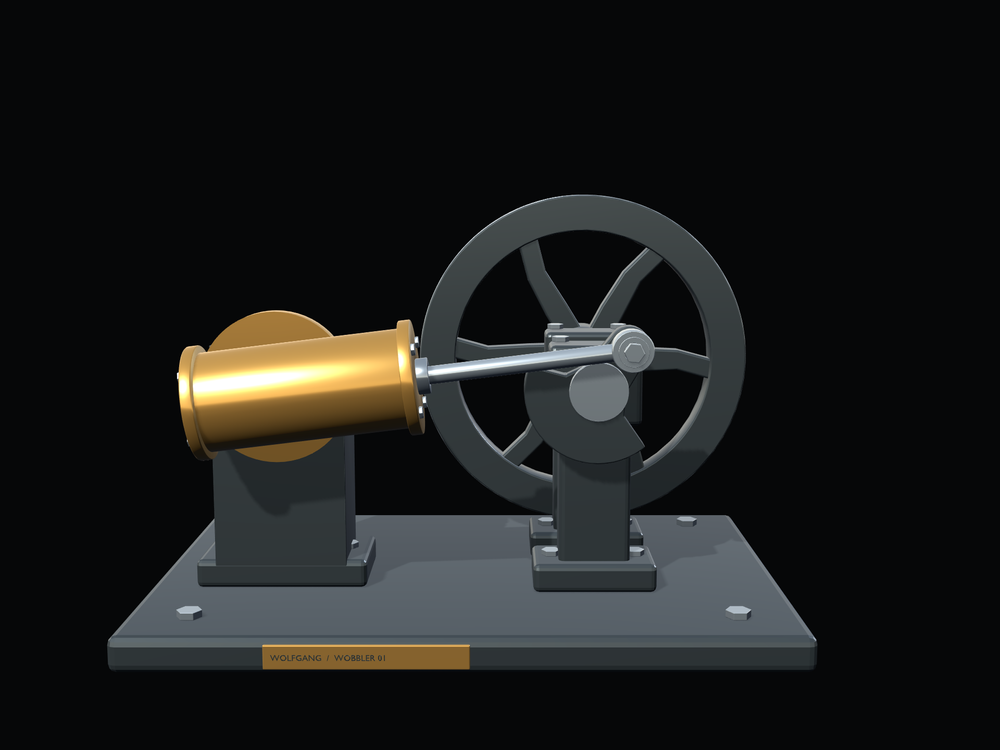
Front view of the Wobbler Engine #1 mechanism

VISIBLE MECHANICS / OSCILLATING MOTION

A compact engine, opened up for exploration.

Wobbler Engine #1 shows the piston, pivoting cylinder, crank and flywheel together so the relationship between each part is easy to follow.

  • Animated single-cylinder wobbler mechanism
  • Transparent Windows desktop presentation
  • Adjustable speed from 0–100 RPM
  • Pause and resume the motion
  • Rotate, pan and zoom around the model
  • Exploded view to inspect the assembly

INSIDE WOBBLER ENGINE #1

Follow the motion.

The crank converts piston travel into rotation while the cylinder rocks on its pivot. Explore the assembled model or separate its parts to see how they fit.
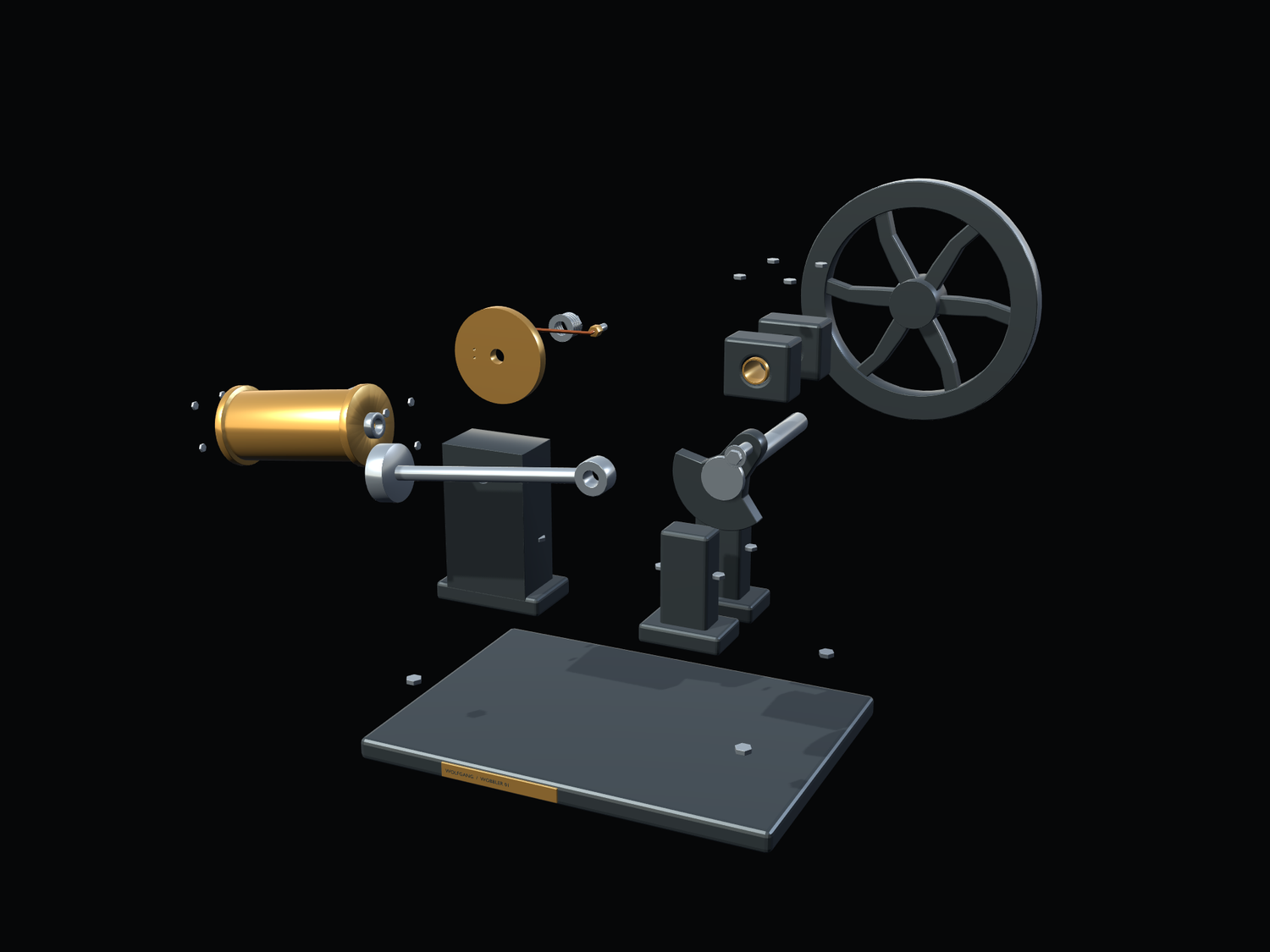
INTERACTIVE WINDOWS MODEL · VERSION 1.0

Controls and release details

CONTROLS

Left-drag moves the engine window. Right-drag pans; middle-mouse drag orbits; the mouse wheel zooms. Camera controls work while unlocked.

E = Explode / Assemble · L = Lock / Unlock · R = Reset View · S = Sound On / Off · Space = Stop / Resume at the selected RPM.

Click the model to reveal the controls and throttle. The lower control tiles are clickable. Click X to save and close. Throttle range: 0–100 RPM; 0 is OFF. First launch starts at 30 RPM. Exploded view holds the mechanism; reassembly restores the selected speed. Reset View does not change speed.

SOUND AND SAVED SETTINGS

The gentle exhaust sound follows engine rotation and stops with the engine. Placement, zoom, view, lock, selected speed/Stop and sound preference restore on the next launch. The model starts assembled.

SYSTEM REQUIREMENTS

64-bit x64 Windows PC with a compatible graphics driver. Windows 10 and 11 are the release targets; a broad hardware/OS compatibility matrix has not been established. The desktop helper uses Windows Forms and .NET Framework 4.x. Mouse and keyboard are required; speakers are optional. No Blender or Godot installation is required.

DOWNLOAD AND EXTRACTION

Portable ZIP: SE-001_Single_Cylinder_Wobbler_v1.0.zip — 38.27 MB (38,267,015 bytes). Allow approximately 107 MB for the extracted files. Extract the complete ZIP to one folder, then launch Single Cylinder Wobbler.exe. Keep the EXE, PCK, DesktopEngineHost.exe and included documents together. No installer is required.

This is an educational digital mechanism, not a pressure-vessel design or approval to machine or operate a physical steam engine.