Ford Model T Engine

$6.99

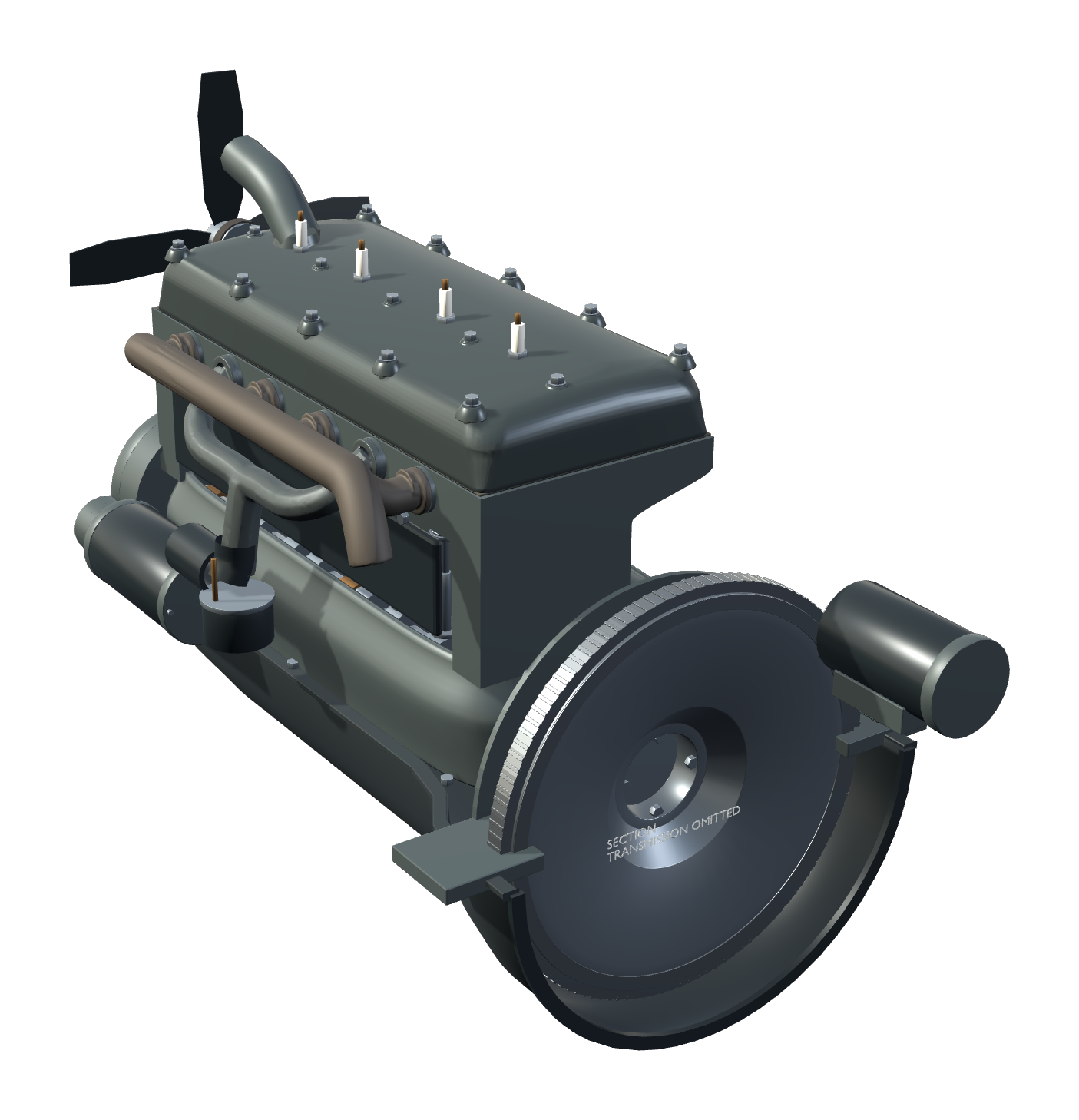
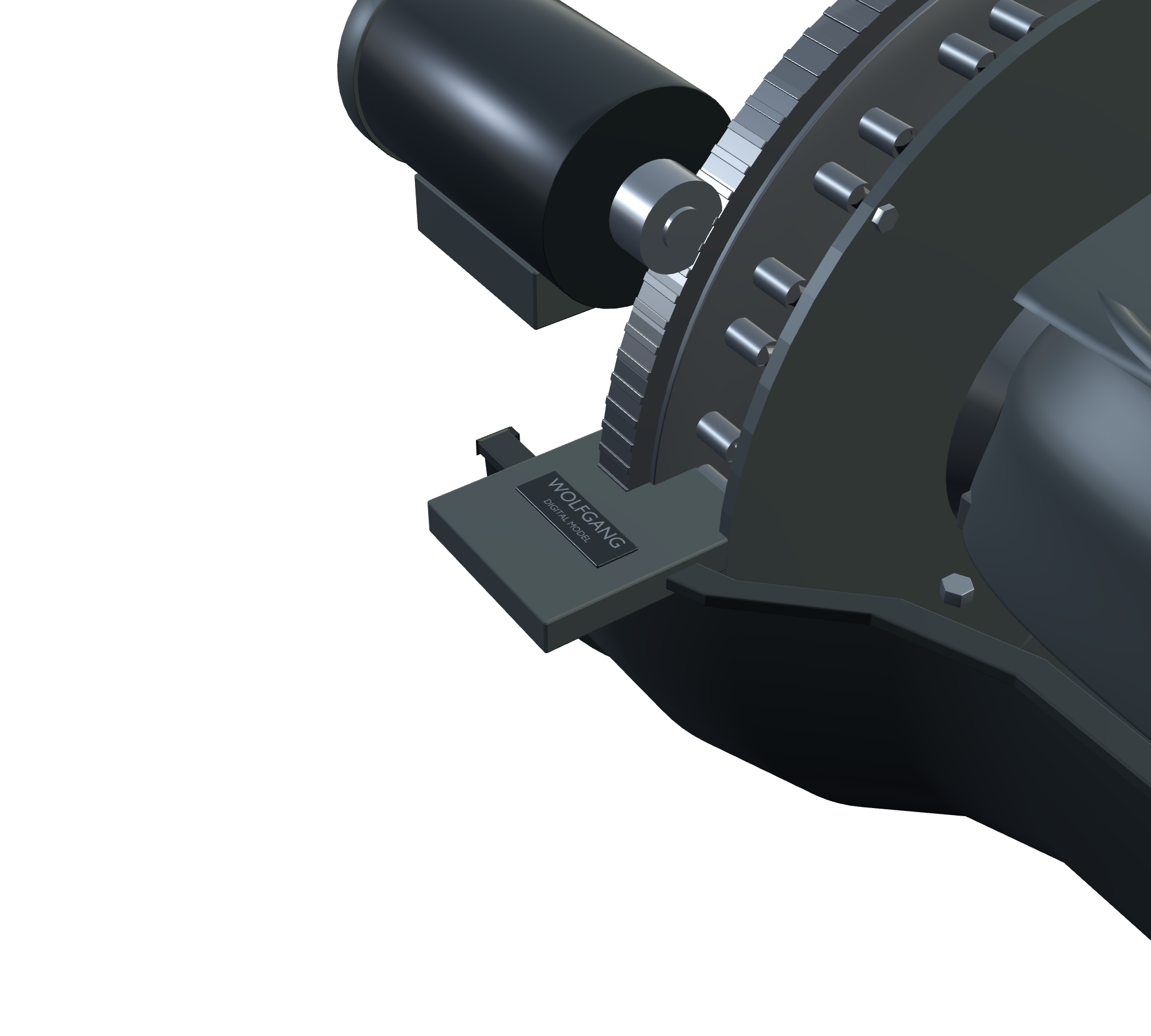
Explore the mechanical layout and motion of a Ford Model T engine with GE-001, an interactive Windows desktop model from Wolfgang Engineering. This educational digital reconstruction lets you study the engine from different views and reveal its internal relationships. The Wolfgang maker’s mark is part of the model.

Explore and control

Run the engine from 200–1000 RPM using the 200 / 600 / 1000 RPM control scale. Hear original Wolfgang-generated engine sound and switch Sound On/Off. Use Inspect mode and Exploded View to explore the model. Move, pan, orbit and zoom; use Reset to return the view and Lock to hold placement.

Controls

Click the engine to open its controls. Left drag moves; right drag pans; middle drag orbits; the mouse wheel zooms. R: Reset. L: Lock. I: Inspect. E: Exploded View/reassemble. Space: pause/resume. S: Sound On/Off. X: close.

Saved settings

Placement, view and settings are saved between sessions. Close and reopen the application to return to your saved setup. A saved Sound Off preference remains off.

Windows installation

Version 1.0. Download GE-001_Ford_Model_T_Engine_v1.0_Setup.exe and run Setup. Install for the current Windows user; keep the desktop shortcut selected to add the Wolfgang shortcut. A Start Menu entry is also installed. Launch GE-001 Ford Model T Engine from either shortcut. Uninstall through Windows Installed apps or the product’s Start Menu Uninstall entry. Saved settings are retained for updates and reinstall.

Requirements

Windows 10/11 x64; OpenGL 3.3-capable graphics; Windows .NET Framework 4.x desktop components; 200 MB available disk space. No Blender or Godot installation is required. Installer size: 47,996,705 bytes (approximately 48 MB).

Educational representation

GE-001 is a Wolfgang Engineering digital reconstruction and educational representation. Selected geometry and presentation details are approximated. It is not an OEM Ford engineering model, manufacturing or restoration specification, fabrication plan, or exact historical dimensional reproduction. It does not provide an active planetary-transmission simulation. Sound is original Wolfgang-generated audio.

Explore more mechanisms in the Engine Library at https://www.wolfgangengineering.com/engine-library.

Explore the mechanical layout and motion of a Ford Model T engine with GE-001, an interactive Windows desktop model from Wolfgang Engineering. This educational digital reconstruction lets you study the engine from different views and reveal its internal relationships. The Wolfgang maker’s mark is part of the model.

Explore and control

Run the engine from 200–1000 RPM using the 200 / 600 / 1000 RPM control scale. Hear original Wolfgang-generated engine sound and switch Sound On/Off. Use Inspect mode and Exploded View to explore the model. Move, pan, orbit and zoom; use Reset to return the view and Lock to hold placement.

Controls

Click the engine to open its controls. Left drag moves; right drag pans; middle drag orbits; the mouse wheel zooms. R: Reset. L: Lock. I: Inspect. E: Exploded View/reassemble. Space: pause/resume. S: Sound On/Off. X: close.

Saved settings

Placement, view and settings are saved between sessions. Close and reopen the application to return to your saved setup. A saved Sound Off preference remains off.

Windows installation

Version 1.0. Download GE-001_Ford_Model_T_Engine_v1.0_Setup.exe and run Setup. Install for the current Windows user; keep the desktop shortcut selected to add the Wolfgang shortcut. A Start Menu entry is also installed. Launch GE-001 Ford Model T Engine from either shortcut. Uninstall through Windows Installed apps or the product’s Start Menu Uninstall entry. Saved settings are retained for updates and reinstall.

Requirements

Windows 10/11 x64; OpenGL 3.3-capable graphics; Windows .NET Framework 4.x desktop components; 200 MB available disk space. No Blender or Godot installation is required. Installer size: 47,996,705 bytes (approximately 48 MB).

Educational representation

GE-001 is a Wolfgang Engineering digital reconstruction and educational representation. Selected geometry and presentation details are approximated. It is not an OEM Ford engineering model, manufacturing or restoration specification, fabrication plan, or exact historical dimensional reproduction. It does not provide an active planetary-transmission simulation. Sound is original Wolfgang-generated audio.

Explore more mechanisms in the Engine Library at https://www.wolfgangengineering.com/engine-library.

PRODUCTS / DESKTOP APPS / WINDOWS

Ford Model T Engine

Engine motion, made visible.

Explore the mechanical layout and motion of a Ford Model T engine with GE-001, an interactive Windows desktop model from Wolfgang Engineering. Inspect its internal relationships, change the speed, and open the assembly into an exploded view.

Windows desktop app · GE-001 · v1.0

200–1000 RPM · Original Wolfgang Engineering audio · Transparent desktop presentation

$6.99 USD

Version 1.0 · Available Windows installer download.
Use the page’s Add To Cart button to purchase.
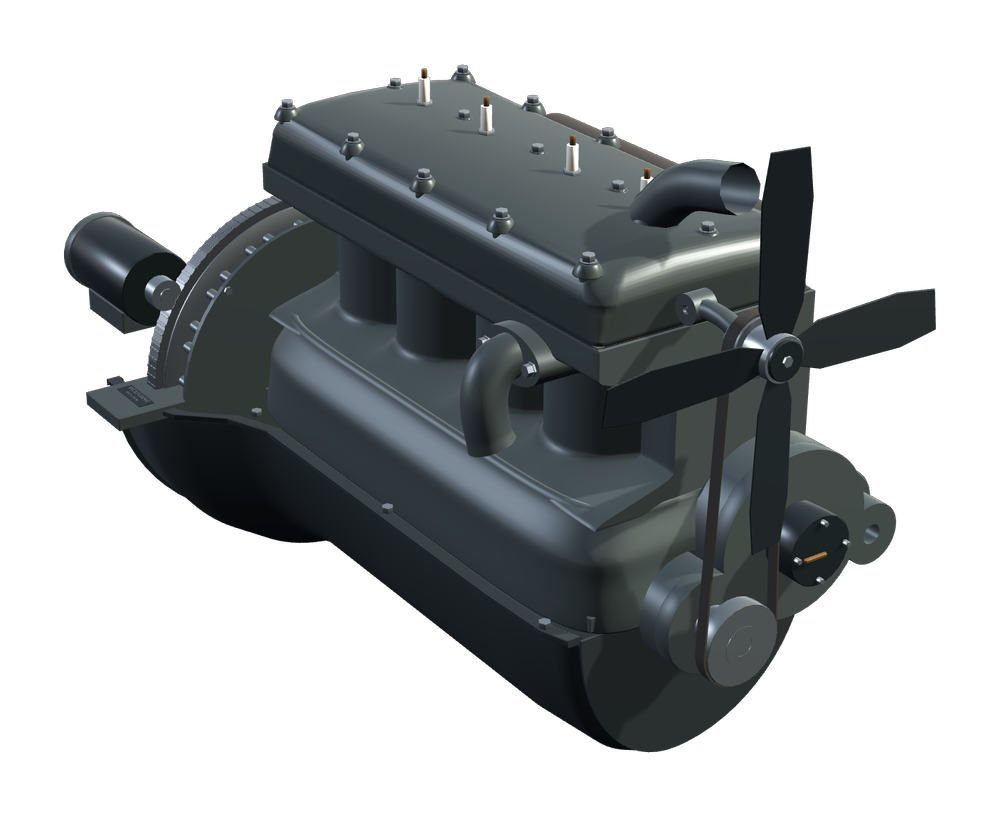
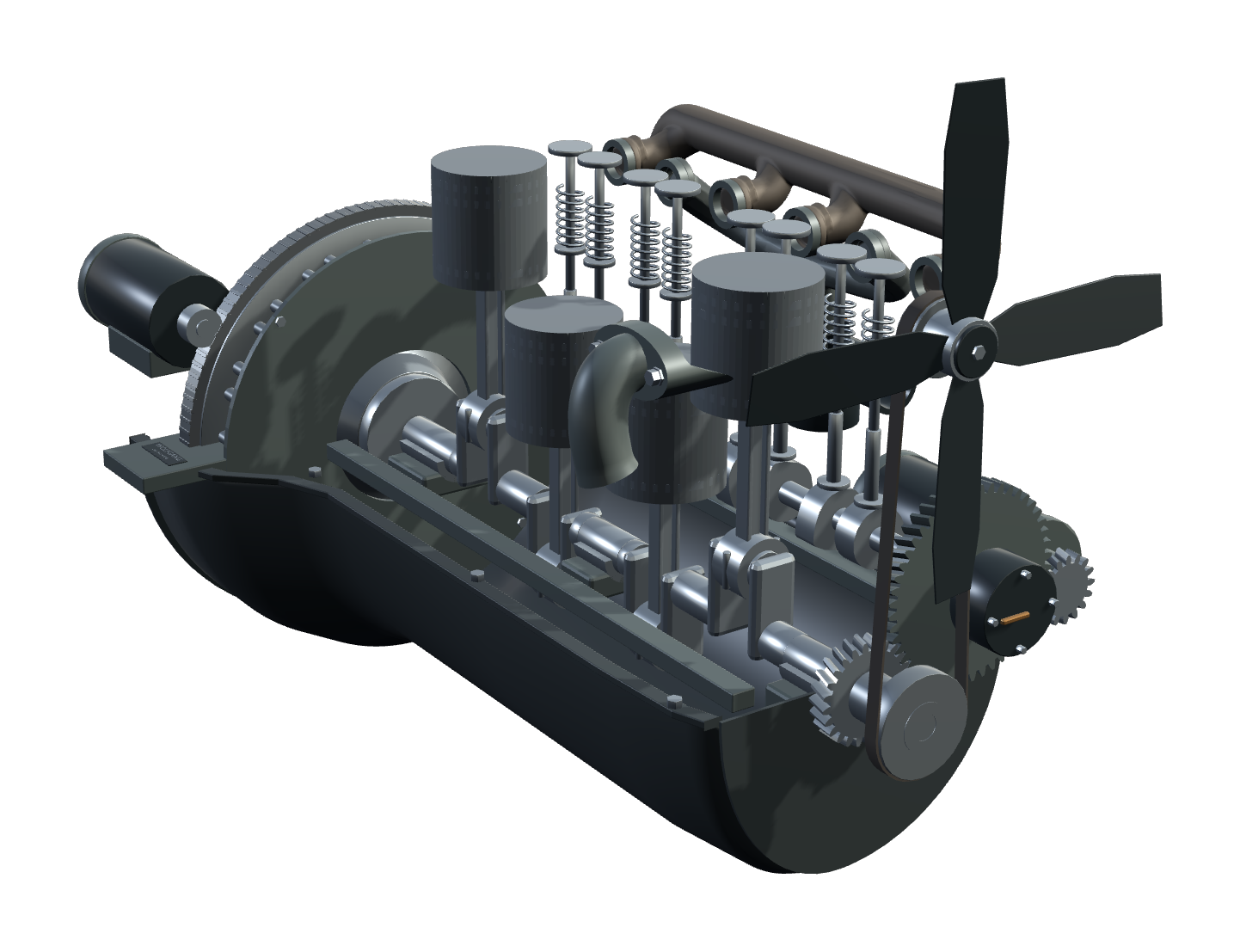
Wolfgang Engineering GE-001 Ford Model T educational digital engine model, assembled three-quarter view.
GE-001 · Assembled three-quarter view.

AT A GLANCE

A mechanism to explore from every angle.

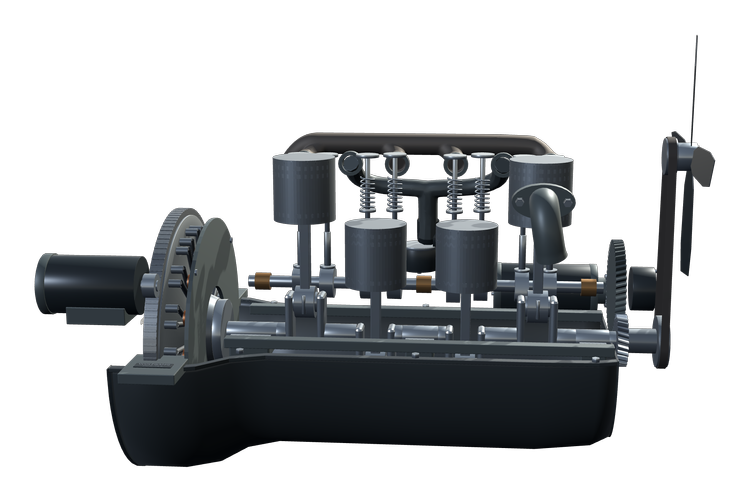
Study how the engine’s moving parts work together, directly on your Windows desktop. The reconstruction makes the relationship between piston travel, crankshaft rotation and valve timing visible.

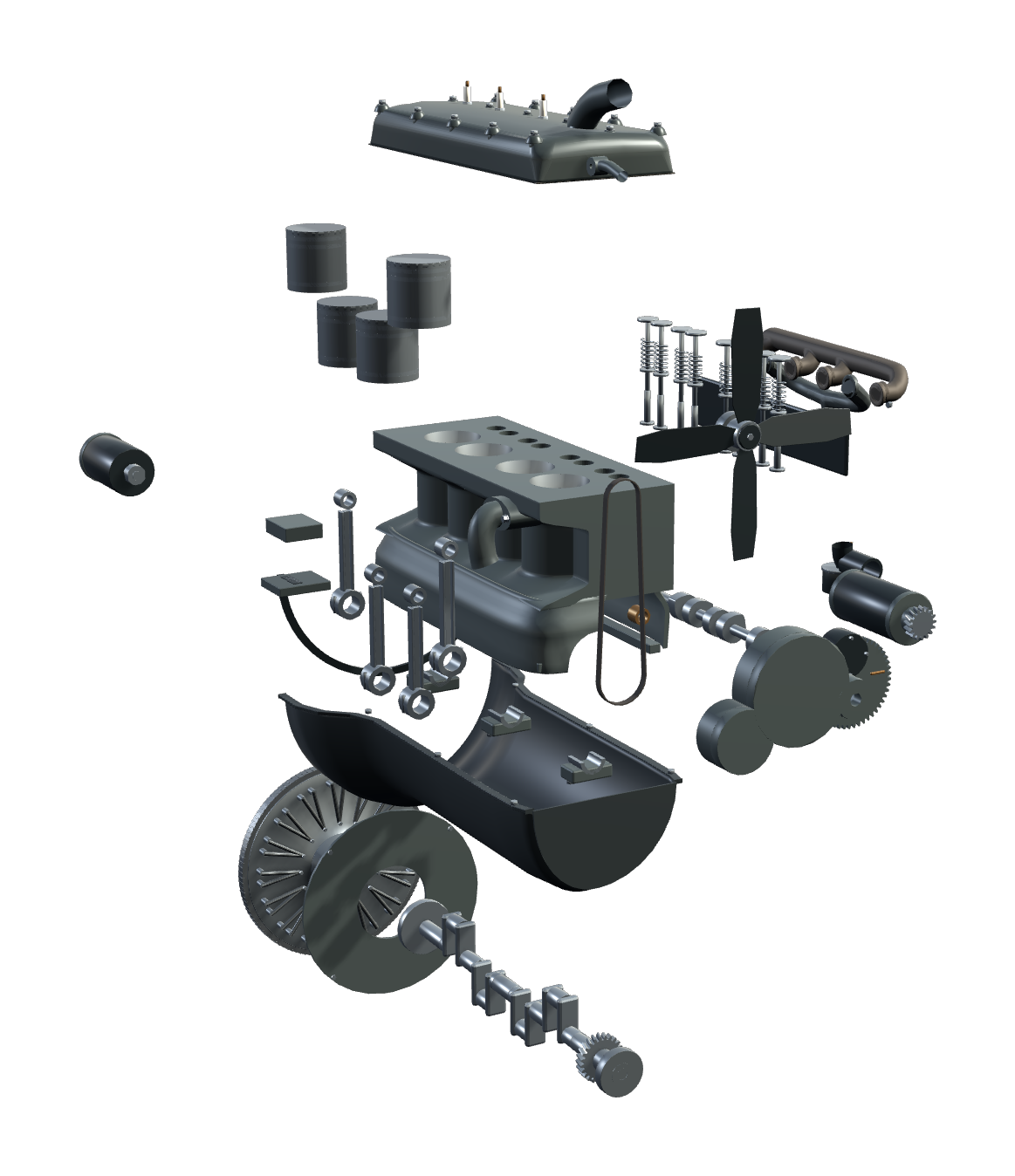
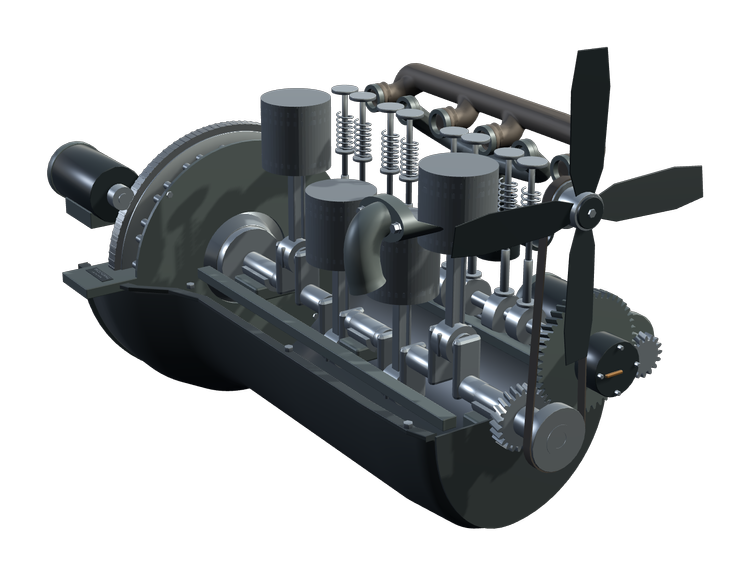
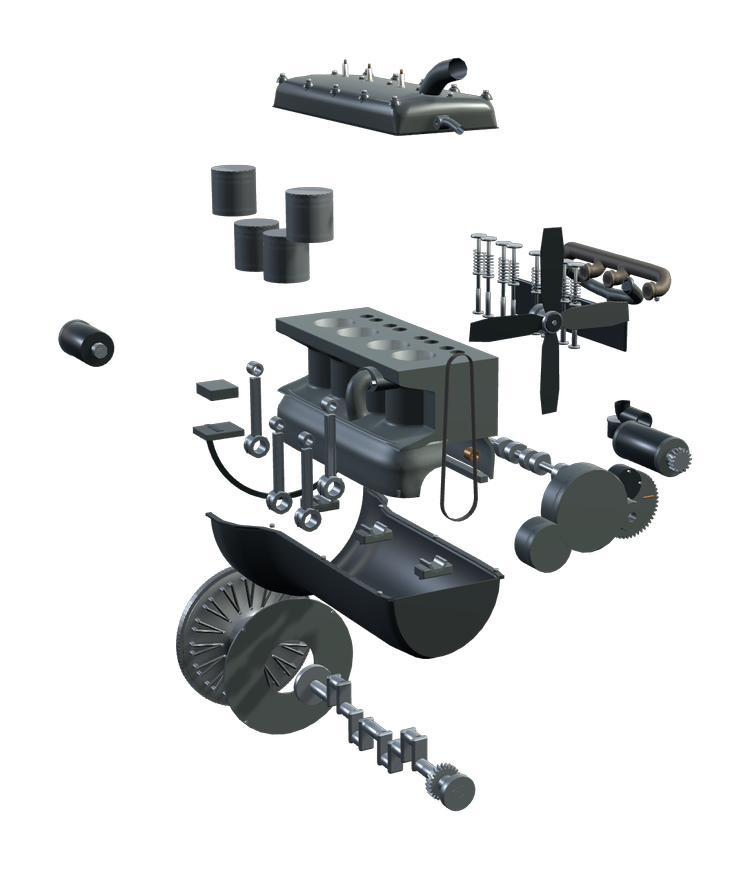
Inspect mode reveals internal mechanical relationships. Exploded View separates the assembly so you can explore how the parts fit together. The Wolfgang maker’s mark remains part of the model.
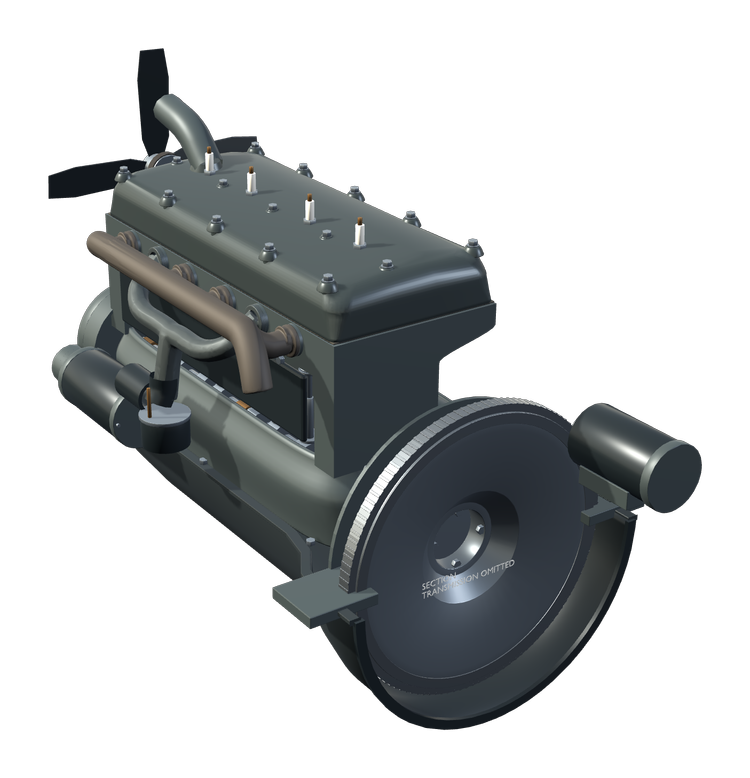
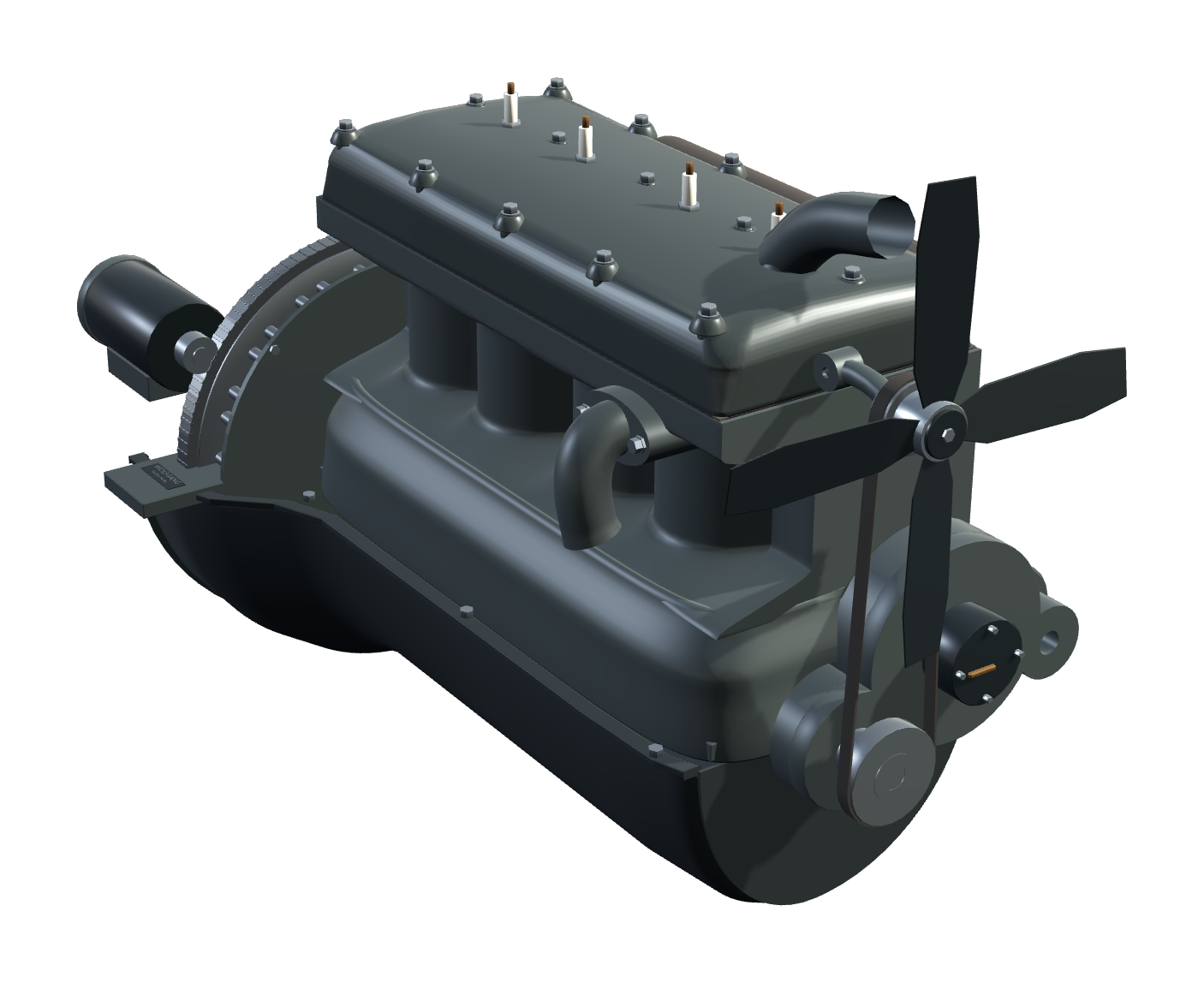
Opposite three-quarter view of the Wolfgang Engineering GE-001 Ford Model T digital reconstruction.
Opposite three-quarter view · Explore the assembled reconstruction.

VISIBLE MECHANICS

Follow the motion through the engine.

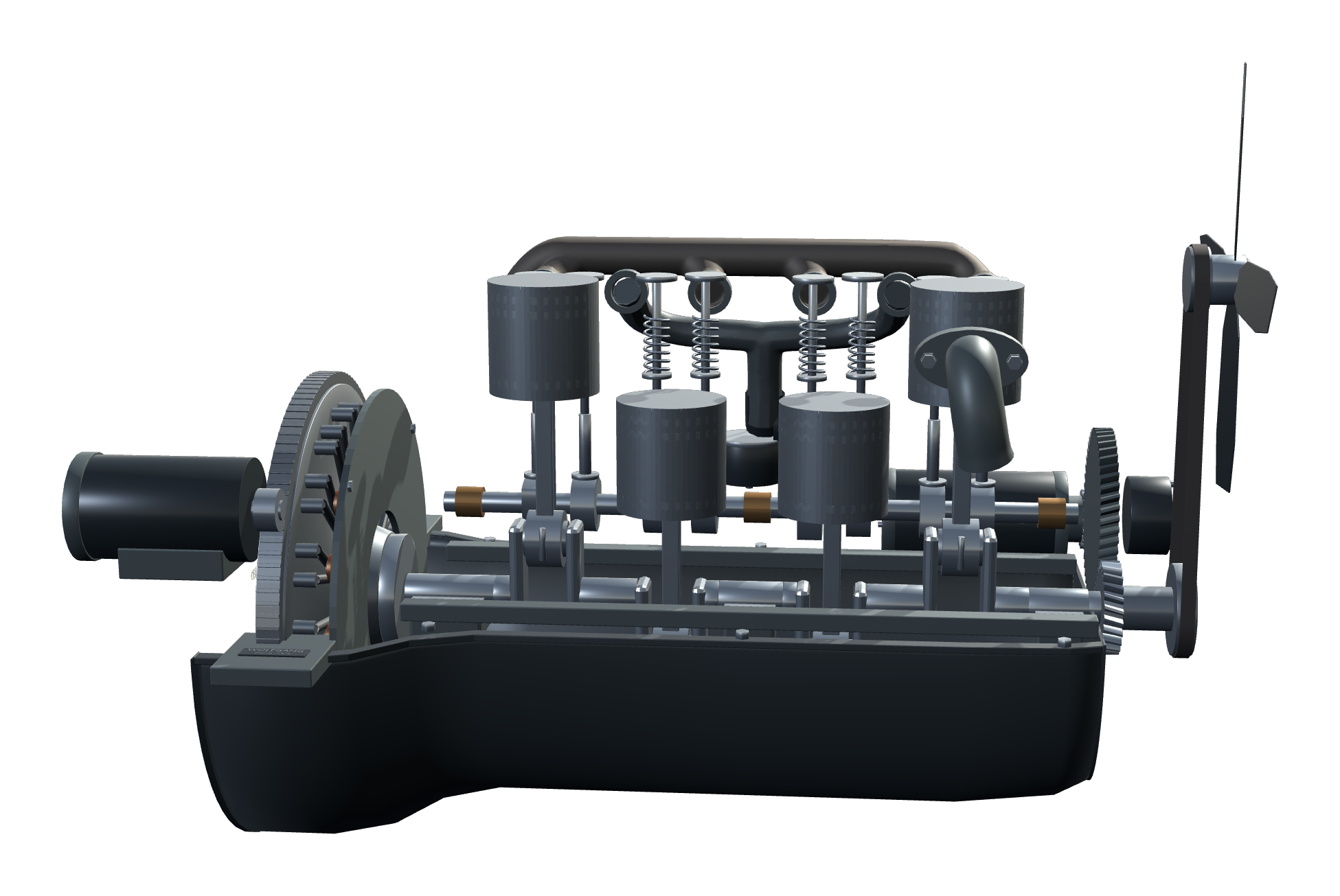
The crankshaft, pistons and connecting rods move together. The camshaft and valves follow the engine’s timing relationships, including the camshaft’s half-speed relationship to the crankshaft.

Original Wolfgang Engineering audio follows the firing events as speed changes. The validated educational firing sequence is 1–2–4–3. The sound is a generated acoustic interpretation, not a measured recording of a particular historical engine.
INTERACTIVE WINDOWS MODEL

Explore and control.

  • Run from 200–1000 RPM using the 200 / 600 / 1000 RPM control scale
  • Inspect mode reveals the internal relationships
  • Exploded View separates the assembly and reassembles it
  • Original Wolfgang Engineering engine sound with Sound On / Off
  • Pause and resume the motion
  • Move, pan, orbit and zoom around the engine
  • Reset returns the view; Lock holds desktop placement
  • Transparent desktop presentation with saved placement, view and preferences

Sound stops while paused or exploded, and motion resumes after reassembly. Placement, view and settings are saved between sessions. Close and reopen to return to your saved setup; a saved Sound Off preference remains off.
MAKE THE MECHANISM VISIBLE

Controls

Click the engine to open its controls.

Left-drag
Move the engine on your desktop
Right-drag
Pan the view
Middle-mouse drag
Orbit around the engine
Mouse wheel
Zoom in or out
RPM controls
200–1000 RPM · 200 / 600 / 1000 control scale
I
Inspect mode
E
Exploded View / reassemble
Space
Pause / resume
S
Sound On / Off
L
Lock placement
R
Reset view
X
Close the application

FORD MODEL T ENGINE / VERSION 1.0

Release details

Version 1.0 · $6.99 USD · Windows installer download. No physical product.

System requirements

Windows 10/11 x64; OpenGL 3.3-capable graphics; Windows .NET Framework 4.x desktop components; approximately 200 MB available disk space.

No Blender or Godot installation is required.

Download

Installer: GE-001_Ford_Model_T_Engine_v1.0_Setup.exe

47,996,705 bytes (approximately 48 MB).

Install and launch

  1. Download the installer and run Setup.
  2. Install for the current Windows user. Keep the desktop-shortcut option selected to add the Wolfgang shortcut. A Start Menu entry is also installed.
  3. Launch GE-001 Ford Model T Engine from either shortcut.

Uninstall and saved settings

Uninstall through Windows Installed apps or the product’s Start Menu Uninstall entry. Saved settings are retained for updates and reinstall.

EDUCATIONAL REPRESENTATION

A digital reconstruction for exploration.

GE-001 is a Wolfgang Engineering digital reconstruction and educational representation. Selected geometry and presentation details are approximated. It is not an OEM Ford engineering model, manufacturing or restoration specification, fabrication plan, or exact historical dimensional reproduction.

It does not provide an active planetary-transmission simulation. Sound is original Wolfgang-generated audio.

Explore more mechanisms in the Engine Library.