
 Image 1 of 4
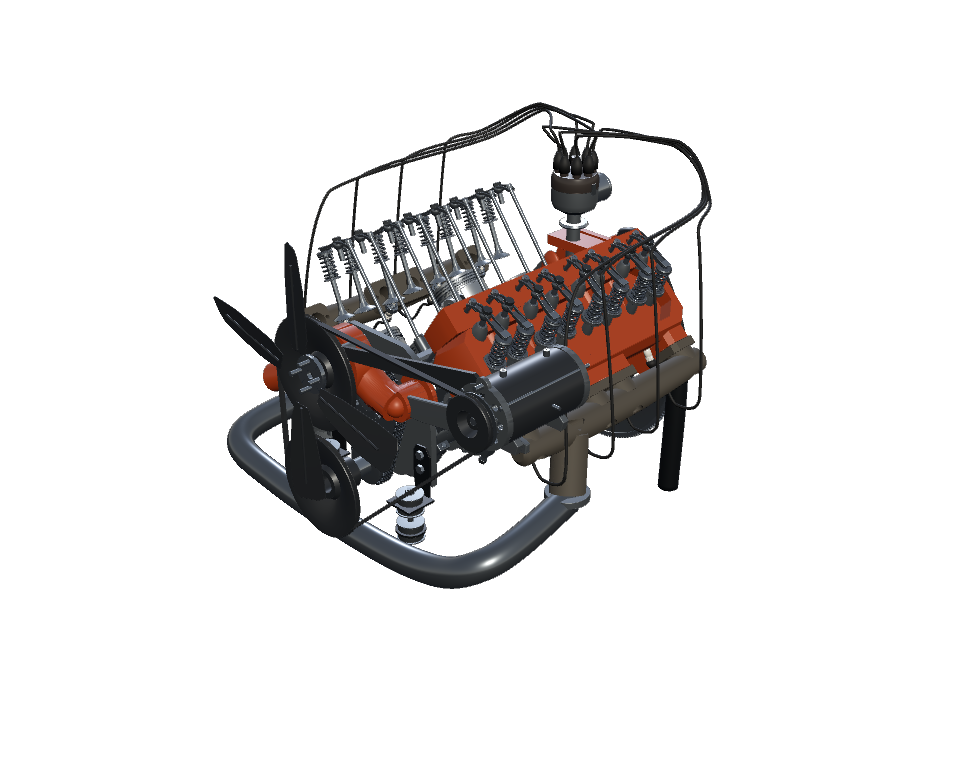 Image 2 of 4
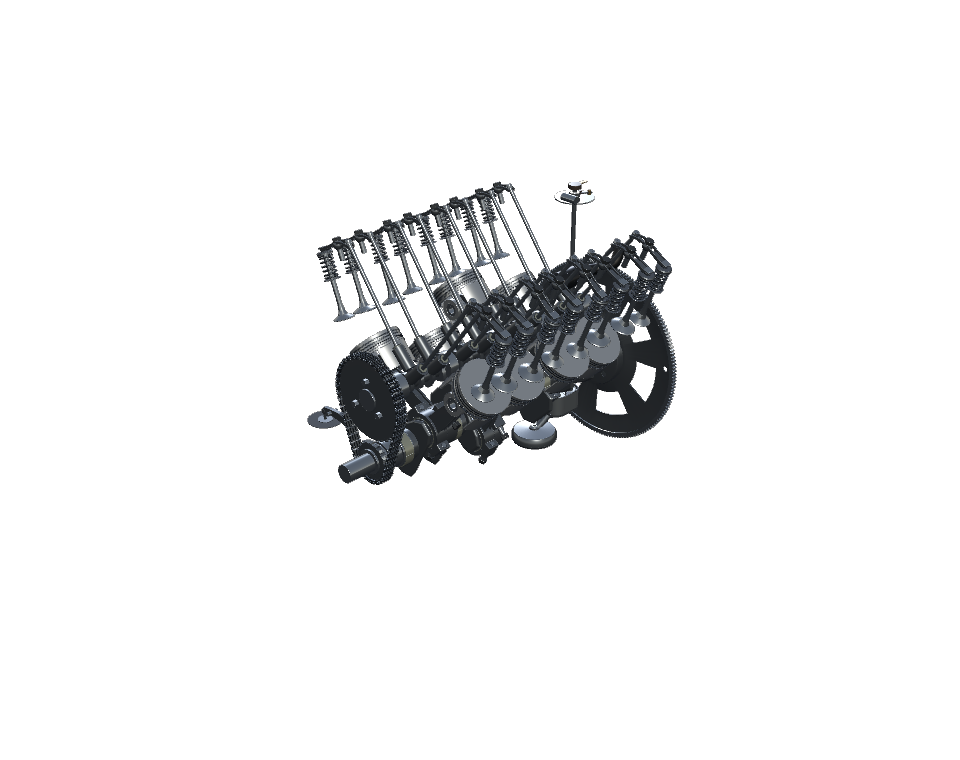 Image 3 of 4
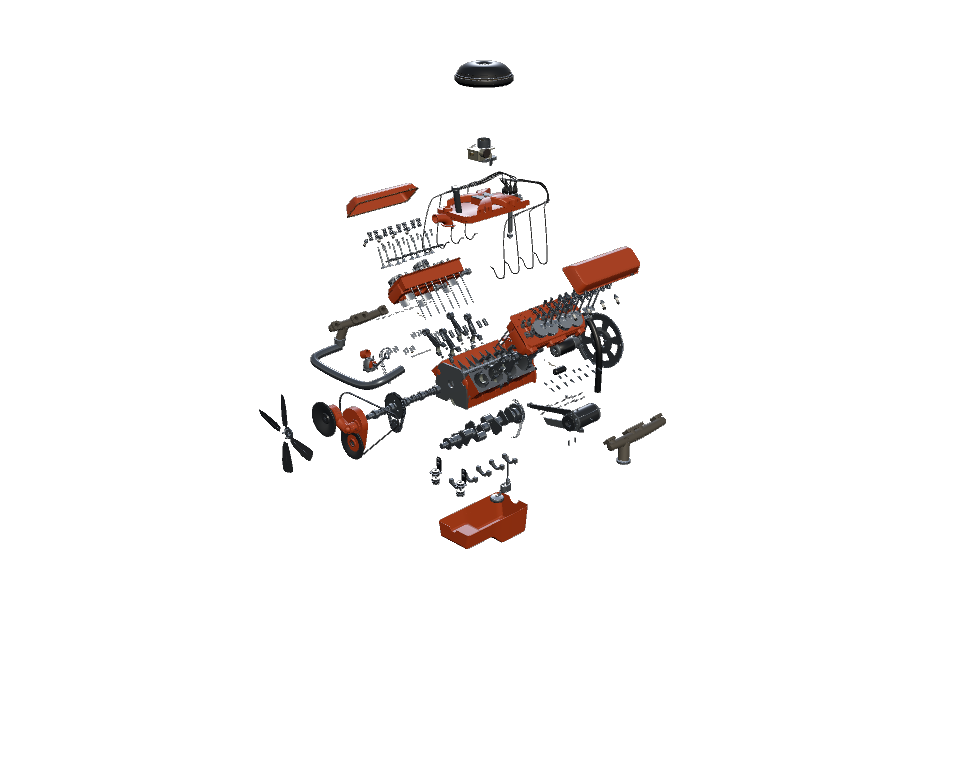 Image 4 of 4
Products / Desktop Apps / Windows
1955 Chevrolet Turbo-Fire 265
Open the V8. Follow the motion.
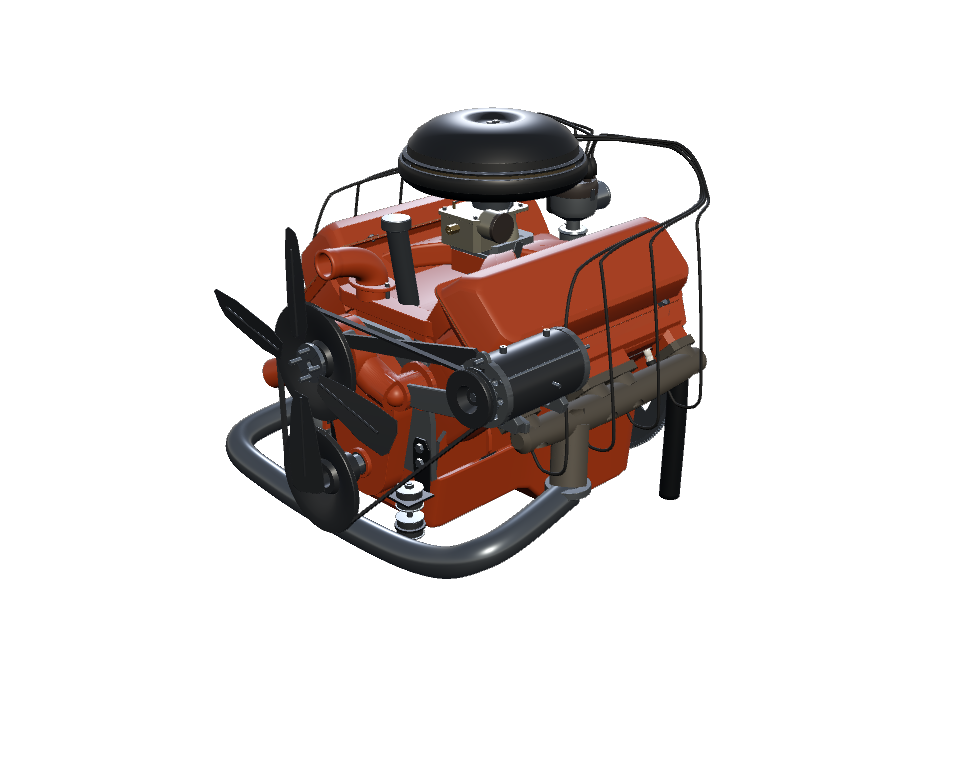
Bring a detailed, interactive engine reconstruction to your Windows desktop. Explore the Chevrolet small-block V8’s mechanical architecture, from its eight pistons and crankshaft to the camshaft, overhead valvetrain and timing mechanisms.
Windows desktop app · GE-003 · v1.0Cutaway · Inspect · Exploded View
Version v1.0 · Portable Windows ZIP · 64.52 MB.
Digital download. No physical product.
At a glance
A classic V8, opened to exploration.
This high-detail educational reconstruction is made for engine enthusiasts, students and people interested in automotive history. Rotate the assembly, look inside and separate its components to understand how the mechanisms relate.
The transparent desktop presentation lets you place the engine where you want it. Move, orbit, pan and zoom with keyboard or mouse controls, then lock its placement and navigation.
Wolfgang Engineering prioritizes mechanical coherence, visual fidelity and educational clarity. Some dimensions and geometry are inferred or approximated from available sources.
Visible mechanics
Follow the moving components.
Watch the crankshaft, eight pistons, connecting rods, camshaft, overhead valvetrain and timing mechanisms move together. Cutaway and Inspect views make the internal relationships easier to see.
Cutaway / Inspect / Exploded View
See inside. Separate the assembly.
- Cutaway View reveals the engine interior
- Inspect View exposes the mechanisms
- Exploded View separates the components
- Inspect combines with Exploded View
- Pause and resume mechanical motion
- Navigate with keyboard or mouse
The unified engine block remains the central anchor. Explore the assembled engine or use the viewing modes to study how its parts relate.
RPM / Slow inspection
Slow down to see the mechanism.
Adjust operation from 60 to 1500 RPM, with an Idle marker at 450 RPM. Use 60 RPM for close inspection of individual movements.
This model is silent. Performance depends on your graphics hardware and display size. High-speed motion is frame-sampled; slower speeds make individual movements easier to follow.
The belt surface represents its routing while the modeled pulleys and accessories animate.
Customer controls
Make the mechanism visible.
Click the engine to reveal its compact menu. Unlock before moving or navigating; the menu fades away when not in use.
- Left-drag
- Move the engine on your desktop when unlocked
- Right-drag
- Pan the view
- Middle-drag
- Orbit the engine
- Mouse wheel
- Zoom in or out
- RPM slider
- 60–1500 RPM · Idle marker at 450
- E
- Explode / reassemble
- C
- Cutaway View
- I
- Inspect View
- Space
- Run / pause
- L
- Lock / unlock placement and navigation
- R / Home
- Reset camera view in place
- Arrow keys
- Hold to orbit left, right, up or down
- + or = / −
- Hold to zoom in / out
- Shift + camera key
- Fine, slower movement
- X close control
- Close the application
Desktop placement, camera view, lock and run/speed preferences are retained between sessions. Camera reset preserves desktop placement.
1955 Chevrolet Turbo-Fire 265 / v1.0
Download and first launch.
Windows requirements
Windows 10 or 11, 64-bit. OpenGL 3.3-capable graphics.
No Blender, Godot or development tools are required.
Your download
Wolfgang_Engineering_GE-003_1955_Chevrolet_Turbo-Fire_265_v1.0_Windows.zip
64.52 MB · 64,523,546 bytes · 61.53 MiB.
Extract and run
- Extract the entire ZIP to a normal folder.
- Run GE003 Engine.exe.
- Keep the bundled runtime files and assets together.
Do not run the application from inside the ZIP.
Need help?
Visit Product Support or contact Wolfgang Engineering.
Educational reconstruction
A model for mechanical discovery.
Wolfgang Engineering digital models are educational and visual reconstructions intended to illustrate mechanical architecture and operation. They are not OEM engineering data, manufacturing drawings, certified dimensional references, or specifications for fabrication, repair, safety-critical use, or interchangeability. Some dimensions and geometry may be inferred or approximated from available historical and technical sources.
Independent company
Manufacturer names, engine names, model designations, and trademarks are used only to identify the historical or mechanical subject being depicted. Wolfgang Engineering is an independent company and is not affiliated with, sponsored by, authorized by, or endorsed by the original manufacturers unless explicitly stated otherwise.
Explore more mechanisms in the Engine Library.